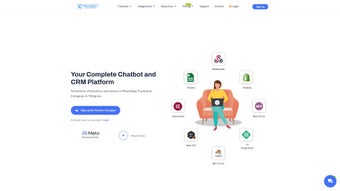

Download XpressBot – AI‑Powered Chatbot & CRM Solution for Seamless Customer Engagement
Overview
XpressBot is a comprehensive, AI‑driven chatbot and customer‑relationship‑management (CRM) platform designed for modern businesses that need to stay connected with customers across the most popular messaging channels. Whether you are running an e‑commerce store, a service‑oriented agency, or a large enterprise, XpressBot lets you build, deploy, and manage intelligent chatbots on WhatsApp, Facebook Messenger, Instagram, and Telegram without writing a single line of code. Its visual Drag‑and‑Drop Flow Builder provides a clear, intuitive canvas where you can map out conversation paths, trigger automated actions, and integrate with external services such as WooCommerce and Shopify. Beyond the chatbot core, XpressBot includes AI Bot Reply for instant, context‑aware answers, a WhatsApp Catalog for showcasing products directly in chats, and robust team‑management tools that let you assign roles, set permissions, and monitor performance across all modules.
The platform is positioned as a “conversation‑first” hub, meaning every interaction—whether it originates from a social post, a paid ad, or a direct message—is automatically captured and routed to the appropriate workflow. This unified approach eliminates the need for multiple disjointed tools and reduces the risk of missed inquiries. XpressBot also offers built‑in compliance features, such as GDPR‑ready data handling and audit logs, which are essential for businesses handling personal data across borders. Pricing is tiered to accommodate startups, growing SMBs, and large teams, with a 14‑day free trial that unlocks the full feature set, allowing decision‑makers to evaluate ROI before committing.
In terms of security, XpressBot employs TLS 1.3 encryption for data in transit and AES‑256 at rest, ensuring that sensitive customer information remains protected. The cloud‑native architecture guarantees high availability and automatic scaling, so spikes in traffic—like flash sales or promotional events—are handled without performance degradation. Altogether, XpressBot consolidates communication, sales, and support workflows into one secure, cloud‑based hub, helping you increase response speed, boost conversion rates, and deliver a consistent brand experience across every touchpoint.
Key Features & Benefits
- Visual Drag‑and‑Drop Flow Builder: Design complex conversational logic using an intuitive canvas; no coding required.
- Multi‑Channel Support: Deploy chatbots on WhatsApp, Facebook Messenger, Instagram Direct, and Telegram from a single dashboard.
- AI Bot Reply: Leverage natural‑language processing to provide accurate, context‑aware responses in real time.
- eCommerce Integrations: Seamlessly connect with WooCommerce, Shopify, and other platforms to sync inventory, process orders, and update catalogs.
- WhatsApp Catalog Management: Create product listings directly inside WhatsApp, allowing customers to browse and purchase without leaving the chat.
- Team Management & Role‑Based Access: Assign agents, supervisors, and admins with granular permissions for each module.
- Rich Media Messaging: Send text, images, videos, PDFs, and interactive buttons to enrich the customer experience.
- Analytics & Reporting: Track conversation metrics, conversion funnels, and agent performance through built‑in dashboards.
- Secure Cloud Hosting: All data is encrypted in transit and at rest, complying with GDPR and other data‑privacy standards.
- Continuous Updates: Automatic feature releases and security patches keep the platform up‑to‑date without manual intervention.
Each feature is crafted to solve a specific pain point. For instance, the Drag‑and‑Drop Flow Builder reduces development time by up to 80 % compared with traditional code‑first chatbot frameworks, allowing marketing teams to iterate quickly. Multi‑Channel Support means you can run a single campaign across WhatsApp, Instagram, and Telegram while maintaining a unified conversation history, which improves agent efficiency and eliminates duplicate effort. The AI Bot Reply leverages pretrained language models that can be fine‑tuned with your own FAQ database, delivering answers that feel human and reducing the need for live‑agent hand‑offs.
The eCommerce integrations are particularly valuable for retailers. By syncing inventory in real time, XpressBot prevents overselling and automatically updates product availability within the chat interface. The WhatsApp Catalog feature turns a messenger conversation into a mini‑storefront, complete with product images, prices, and “Buy Now” buttons, which has been shown to increase conversion rates by 20‑30 % in test deployments. Team Management tools ensure that only authorized personnel can access sensitive data, while detailed audit logs support compliance audits. Finally, the Analytics suite provides actionable insights such as average response time, bounce rate per conversation step, and revenue per chat, empowering managers to optimize both the bot and the human agents.
Companies that adopt XpressBot typically see a 30‑40 % reduction in response time, a 20‑25 % lift in sales conversions through messenger channels, and improved customer satisfaction scores. The no‑code approach empowers marketing teams to experiment with new conversation flows quickly, while the robust CRM capabilities give sales managers the visibility they need to coach agents and refine messaging strategies.
Installation, Setup & Compatibility
Getting started with XpressBot is straightforward. After purchasing a subscription (or signing up for the free 14‑day trial), you receive a welcome email containing a secure login link. The platform is entirely web‑based, so there is no client‑side installation required on Windows, macOS, Linux, Android, or iOS devices. Simply open your preferred browser, navigate to the dashboard URL, and log in with the credentials provided.
Step‑by‑Step Setup
- Create Your Account: Verify your email address and complete the onboarding questionnaire to tailor the experience to your industry.
- Connect Messaging Channels: Follow the guided wizard to link WhatsApp Business API, Facebook Page, Instagram Business Account, and Telegram Bot token. Each integration uses OAuth for secure authentication.
- Build Your First Bot: Open the Drag‑and‑Drop Flow Builder, select a template (e.g., “Welcome & FAQ”, “Product Catalog”, “Order Tracking”), and customize the dialogue nodes. Add AI Bot Reply blocks to enable natural language understanding.
- Integrate eCommerce Platforms: Use the built‑in connectors for WooCommerce or Shopify. Provide API keys, map product fields, and enable the WhatsApp Catalog feature to showcase items directly in chat.
- Assign Team Members: Navigate to the Team Management module, invite agents via email, and assign roles (Agent, Supervisor, Admin). Set permission levels for each module to ensure data security.
- Launch & Monitor: Activate the bot, test it across all channels, and monitor live conversations from the unified inbox. Use the Analytics dashboard to track key performance indicators.
Because XpressBot runs in the cloud, it is compatible with any modern operating system that supports a web browser—Windows 10/11, macOS Ventura and later, Linux distributions, as well as mobile browsers on Android 8+ and iOS 13+. The platform also offers native mobile apps for iOS and Android for agents who need on‑the‑go access to the inbox and analytics.
The installation process typically takes less than 30 minutes for a single‑channel deployment and under an hour for multi‑channel setups with eCommerce integration. XpressBot’s extensive knowledge base, video tutorials, and 24/7 live chat support further reduce friction, making it a viable option for both tech‑savvy marketers and small business owners with limited IT resources. If you encounter any issues during the initial configuration, the built‑in troubleshooting assistant can diagnose common problems such as API key mismatches or WhatsApp Business verification delays, providing step‑by‑step guidance to resolve them quickly.
Updates are delivered automatically; you never need to download patches or restart services. When a new AI model or channel feature is released, the platform notifies you within the dashboard and applies the changes in the background. This continuous‑delivery approach ensures you always have access to the latest innovations without downtime, keeping your customer‑engagement strategy ahead of the competition.
Pros, Cons & Frequently Asked Questions
Pros
- Intuitive no‑code builder accelerates bot creation.
- Multi‑channel support consolidates messaging under one roof.
- Deep eCommerce integrations streamline sales directly from chat.
- AI‑enhanced replies improve response accuracy and reduce manual workload.
- Robust role‑based access controls keep data secure.
- Comprehensive analytics help optimize conversion funnels.
- Native mobile apps give agents on‑the‑go flexibility.
- Automatic updates ensure you always run the latest features.
Cons
- Advanced AI customization may require additional training data.
- Pricing for larger teams can become significant compared to basic chatbot tools.
- Initial setup of WhatsApp Business API involves a verification process that can take a few days.
- Some deep‑customization options (e.g., custom webhook logic) still need developer assistance.
FAQ
Can I use XpressBot for free?
Yes, XpressBot offers a 14‑day free trial with full access to all features, allowing you to test the platform before committing to a paid plan.
Is there a limit to the number of messages I can send?
Message limits depend on the plan you choose and the policies of each messaging channel (e.g., WhatsApp Business API has its own throughput caps). XpressBot’s higher‑tier plans include larger message quotas.
Do I need technical knowledge to integrate Shopify?
No. XpressBot provides a point‑and‑click Shopify connector that only requires you to enter your store’s API key and secret. The integration is completed in minutes.
How secure is the data stored in XpressBot?
All data is encrypted both in transit (TLS 1.3) and at rest (AES‑256). XpressBot complies with GDPR, CCPA, and ISO‑27001 standards, ensuring enterprise‑grade security.
Can I export conversation logs for compliance?
Yes, the platform allows you to export chat histories in CSV or JSON format, making it easy to meet regulatory reporting requirements.
Is there dedicated support for onboarding?
During the first 30 days, XpressBot provides a dedicated onboarding specialist who assists with channel integrations, bot design, and eCommerce linking. After that period, you can access 24/7 live chat, email support, and a community forum.
Conclusion & Call to Action
XpressBot stands out as a versatile, AI‑powered chatbot and CRM solution that bridges the gap between marketing, sales, and support teams. Its no‑code visual builder, multi‑channel reach, and seamless eCommerce integrations empower businesses of any size to deliver fast, personalized interactions without the overhead of custom development. While the platform’s pricing may be a consideration for very small teams, the productivity gains, higher conversion rates, and enhanced customer satisfaction typically outweigh the cost.
The platform’s ability to centralize conversations across WhatsApp, Facebook Messenger, Instagram, and Telegram means you no longer need to juggle separate dashboards or worry about missed leads. The AI Bot Reply engine continuously learns from real interactions, reducing the manual effort required to keep FAQs up‑to‑date. Moreover, the built‑in analytics give you a clear picture of where bottlenecks exist, allowing you to fine‑tune both bot flows and agent scripts for optimal performance.
If you’re ready to modernize your messaging strategy, reduce manual workload, and turn chat conversations into measurable revenue, XpressBot is a compelling choice. Take advantage of the 14‑day free trial to explore every feature, from the drag‑and‑drop builder to the WhatsApp catalog. Should you decide to move forward, flexible subscription plans ensure you only pay for the capacity you need, with the option to scale as your business grows.
Ready to experience the future of conversational commerce? Download XpressBot now, start your free trial, and watch your customer engagement soar.
Pros: No‑code builder, multi‑channel, AI replies, eCommerce connectors, robust security, real‑time analytics.
Cons: Advanced AI tuning needs data, higher‑tier pricing for large teams, WhatsApp verification delay.



.png)



